Seedance 2.5 AI Video Generator
Made with Seedance 2.5
Create More with the Seedance 2.5 AI Video Generator
Seedance 2.5 Text to Video for 30-Second Stories
Turn a written idea into a more complete video sequence with Seedance 2.5 text to video. The model can generate up to 30 seconds in a single pass, organizing multiple connected shots with smoother transitions and stronger continuity. Multi-round extension also makes it possible to continue an existing scene while maintaining its main characters, environment, visual language, and narrative pacing.
Seedance 2.5 Image to Video with Stronger Reference Control
Use Seedance 2.5 image to video to bring still visuals into motion while keeping the original subject and creative direction as a reference. For more complex productions, the model can work with up to 30 images, 10 video clips, and 10 audio clips in a single generation, helping guide characters, environments, movement, camera language, visual style, and sound.
Direct Videos with Up to 50 Multimodal References
Go beyond a single starting image. Seedance 2.5 can use up to 50 image, video, and audio reference assets together, allowing creators to communicate complex visual and motion ideas with greater precision. References can guide subjects, scenes, camera behavior, motion patterns, sound, and other creative elements across more demanding multi-shot workflows.
Edit Specific Moments Without Starting Over
Seedance 2.5 adds timestamp-level control for targeted video and audio editing. Adjust specific actions, subjects, story details, or moments in a sequence while keeping the surrounding content more stable. The model also strengthens workflows such as reference-based editing, camera perspective changes, and green-screen editing.
Generate 1080p AI Video with Audio
Seedance 2.5 works as an AI video generator with audio, creating sound and visuals within the same generation architecture for more coherent storytelling. Current BytePlus ModelArk documentation supports Seedance 2.5 output at 480p, 720p, and 1080p, giving creators the option to generate higher-resolution video when more visual detail is needed.
Comparez Seedance 2.5 avec Seedance 2.0, Wan 3.0 et MiniMax H3
| Dimension | Seedance 2.5Ce modèle | Seedance 2.0 | Wan 3.0 | MiniMax H3 |
|---|---|---|---|---|
| Durée maximale de génération | Jusqu'à 30 secondes | Jusqu'à 15 secondes | Jusqu'à 30 secondes | Jusqu'à 15 secondes |
| Référence multimodale | Jusqu'à 30 images, 10 vidéos et 10 clips audio | Jusqu'à 9 images, 3 vidéos et 3 clips audio | Jusqu'à 20 éléments | Jusqu'à 9 images, 3 vidéos et 3 clips audio |
| Génération audio | Pris en charge | Pris en charge | Pris en charge | Audio stéréo pris en charge |
| Sortie haute résolution | 1080p sur AZ8 | Pris en charge | Jusqu'à 1080p | Jusqu'à 2K |
| Montage vidéo | Pris en charge | Pris en charge | Pris en charge | Pris en charge |
| Open source | Code source fermé | Code source fermé | Code source fermé | Open source |
Comparaison basée sur la documentation publique d'août 2026. La disponibilité des fonctionnalités peut varier selon la version de l'API et le déploiement.
How to Use Seedance 2.5 AI Video Generator on AZ8
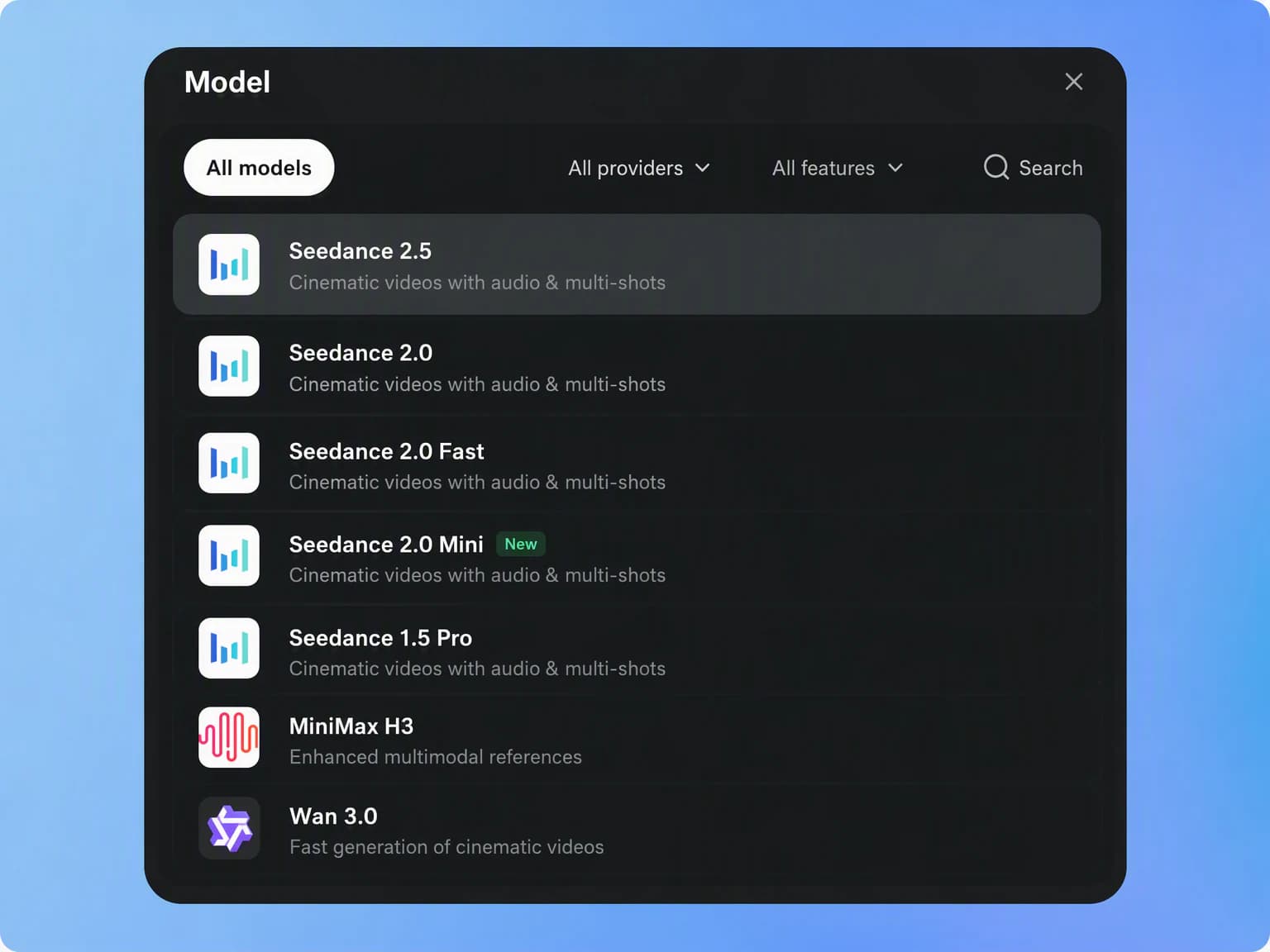
Step 1: Choose Text to Video or Image to Video
Start with a written prompt for Seedance 2.5 text to video, or upload an image when you want to animate an existing visual. Add relevant reference assets when you need more control over characters, environments, motion, visual style, camera direction, or sound.
Step 2: Configure Your Video Settings
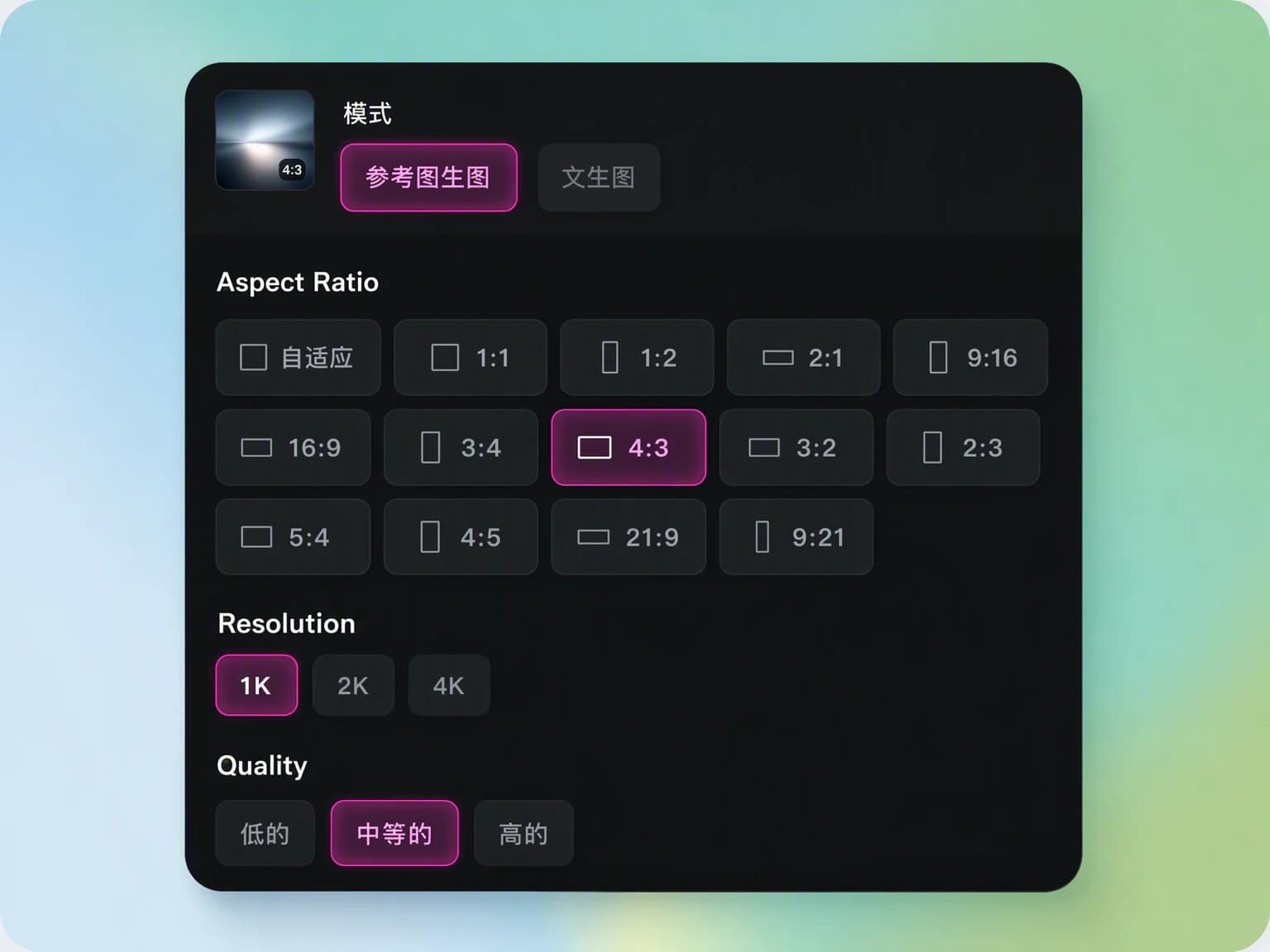
Choose the aspect ratio that fits your target platform, then select the resolution and generation quality. Adjust these settings based on where you plan to publish the video and the level of visual detail you need.
Step 3: Generate Your Seedance 2.5 Video
Generate the video on AZ8, review the result, and refine your prompt or references when you want a different direction. Once the scene matches your idea, download the result or continue building your workflow in AZ8.
-d55e371c103d4333.webp&w=3840&q=75)