Canvas basics
How to create, connect, select, align, and group nodes on the canvas.
The canvas is where you lay out image, video, audio, and other nodes freely to build your work. This page explains how to create nodes, connect them, use the right-click menu, select several nodes, and group them. The examples use the nodes from the Docs Demo project: ヒナ 三面図 (Hina character sheet), KV スタイル基準 (KV style reference), C01–C07, V01–V03, and BGM 紙鶴のテーマ (BGM Paper crane theme).
See Interface overview for the layout of the whole screen.
Create a node
There are 3 ways to create a node. Each one opens the same "Add node" menu.
- Click "Add node" (+) in the left toolbar.
- Double-click an empty spot on the canvas.
- Right-click an empty spot on the canvas.
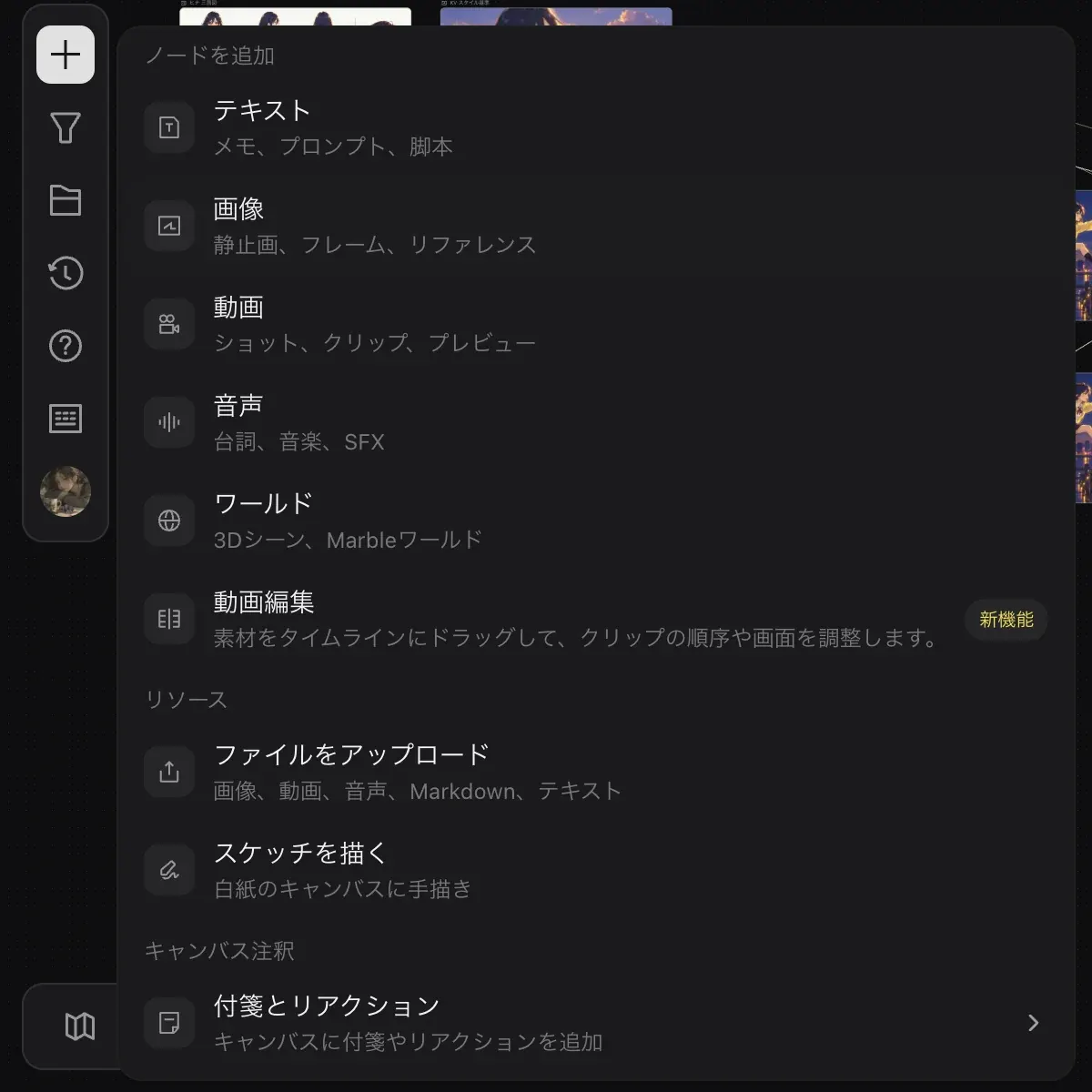
Open the menu
Open the "Add node" menu with any of the 3 methods above.
Choose a type
Choose from "Text", "Image", "Video", "Audio", "World", and "Video editing". To bring in your own files, use "Upload files" under "Resources". To leave a note, use "Notes & reactions" under "Canvas annotations".
"Draw sketch" appears only in the menu opened from "Add node" in the toolbar. It is not in the menu opened by double-clicking.
The empty canvas of a new project also shows quick-start buttons for "Text", "Image", "Video", "Audio", and "3D scene".
Connect nodes
A node has input ports on its left side (for example "Prompt" and "Image") and output ports on its right side. When nodes are connected by a line, the result of one node is used as input to the node it connects to. In Docs Demo, lines run from KV スタイル基準 to each storyboard, C01–C07.
On image and video nodes, you can bring in another node as a reference in 2 ways. See Image generation for details.
- Click "Pick reference from canvas" (+) in the reference field of the input panel.
- Type
@in the prompt and choose from the "Related resources" list.
The right-click menu
Right-click a node to open a menu split into 3 groups.
- "Copy image", "Save to library"
- "Edit tag", "Duplicate node", "Bring to front", "Send to back"
- "Delete node"
You can also open the same menu from "More actions" (…) in the toolbar that appears when you select a single node.
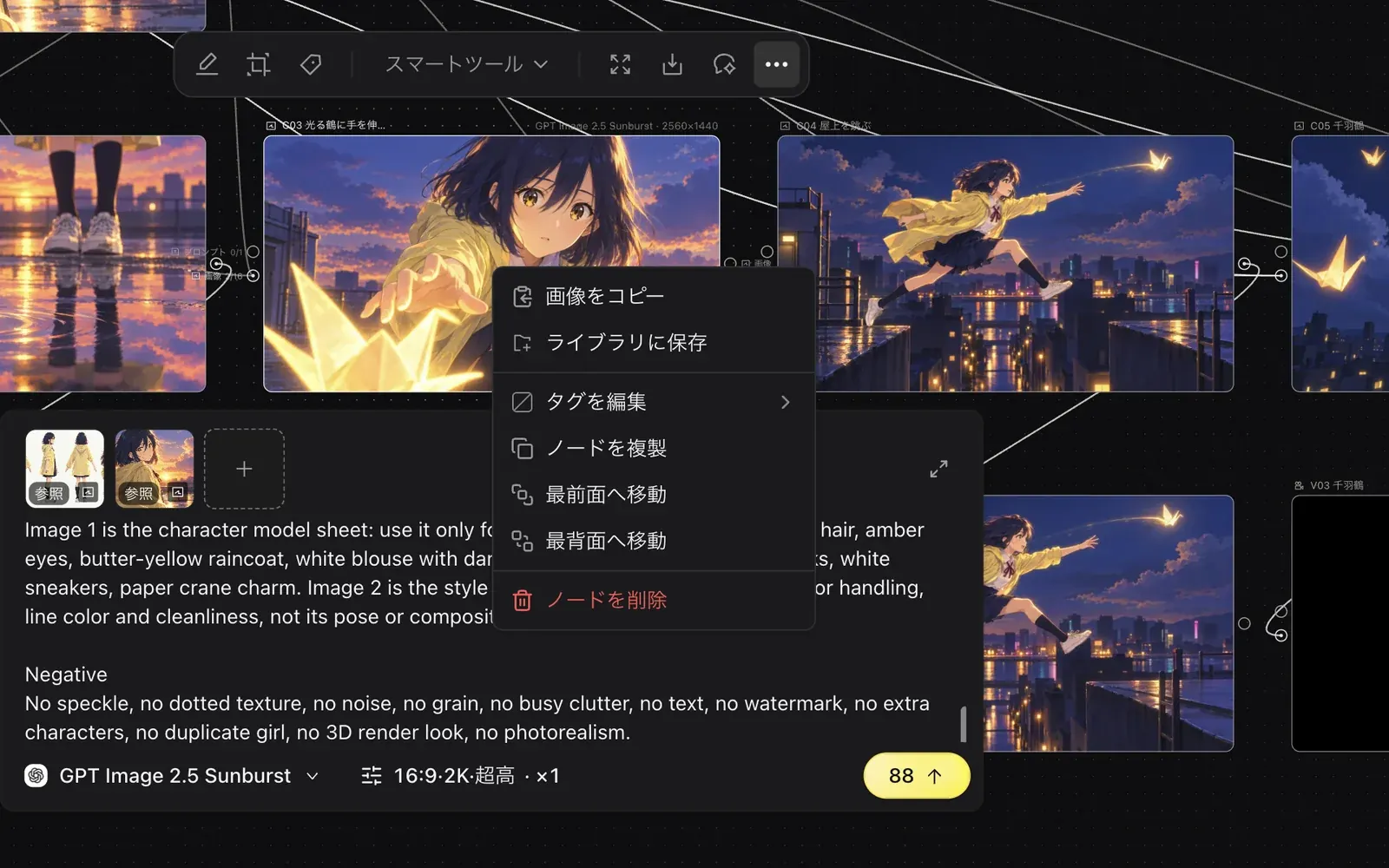
When you select a single image node, the toolbar shows "Precision edit", "Crop", "Mark", "Smart tools", "Preview", "Download", "Chat with Zumi", and "More actions". "Smart tools" is covered in Smart tools.
Select multiple nodes
Hold ⌘ and click
Hold ⌘ and click the nodes you want, one after another. For example, select V01, V02, V03, and BGM 紙鶴のテーマ. Clicking with Shift held does not add to the selection.
Use the toolbar
With several nodes selected, the toolbar shows "Align left", "Align top", "Distribute evenly", "Group ⌘G", "Video editing", "Save to library", "Batch rename", "Download selection", "Chat with Zumi", and "Tag nodes".
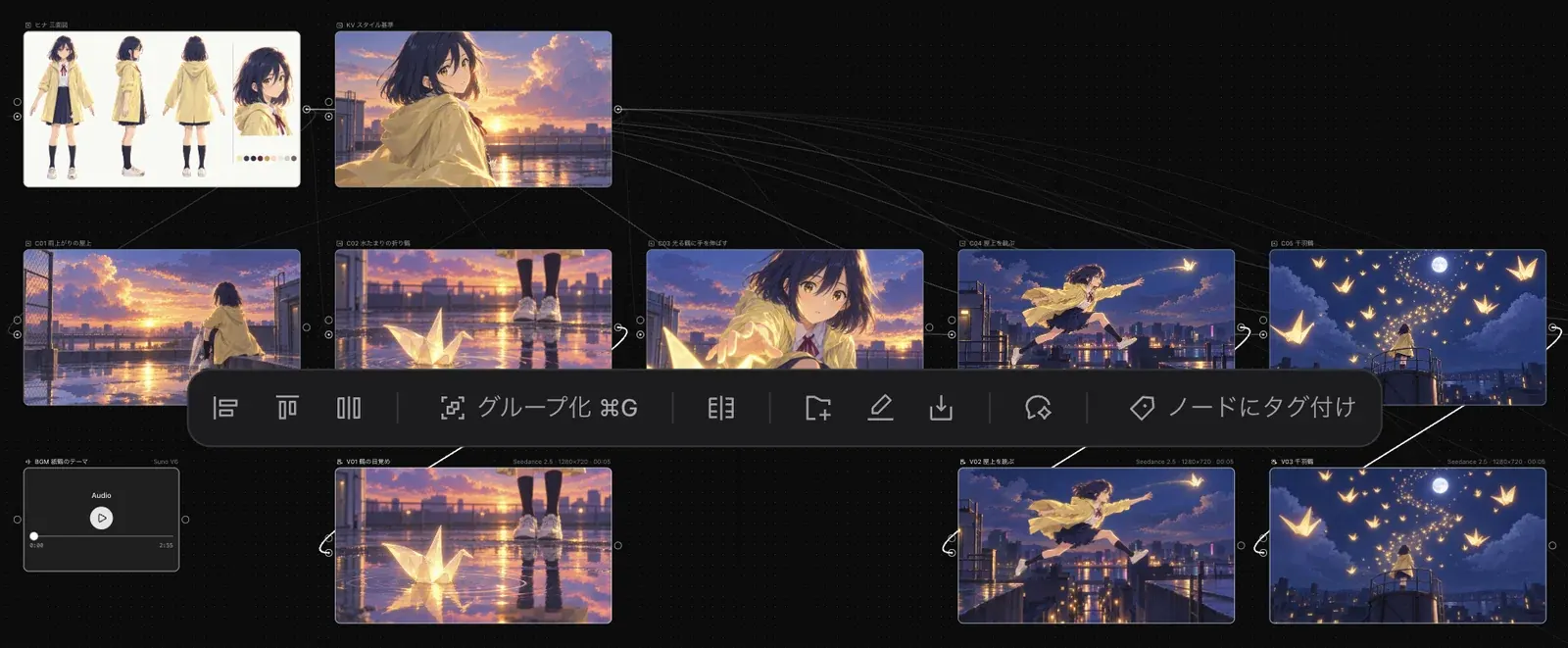
Select video and audio and click "Video editing" to create an editing node with those materials connected. Continue in Video editing.
Group nodes
You can organize related nodes into a group. Groups can also be collapsed.
Select nodes
Hold ⌘ and click to select the nodes you want to group.
Group them
Press ⌘G or click "Group ⌘G" in the toolbar.
Collapse
Use "Collapse" in the group's title bar to make the group smaller.
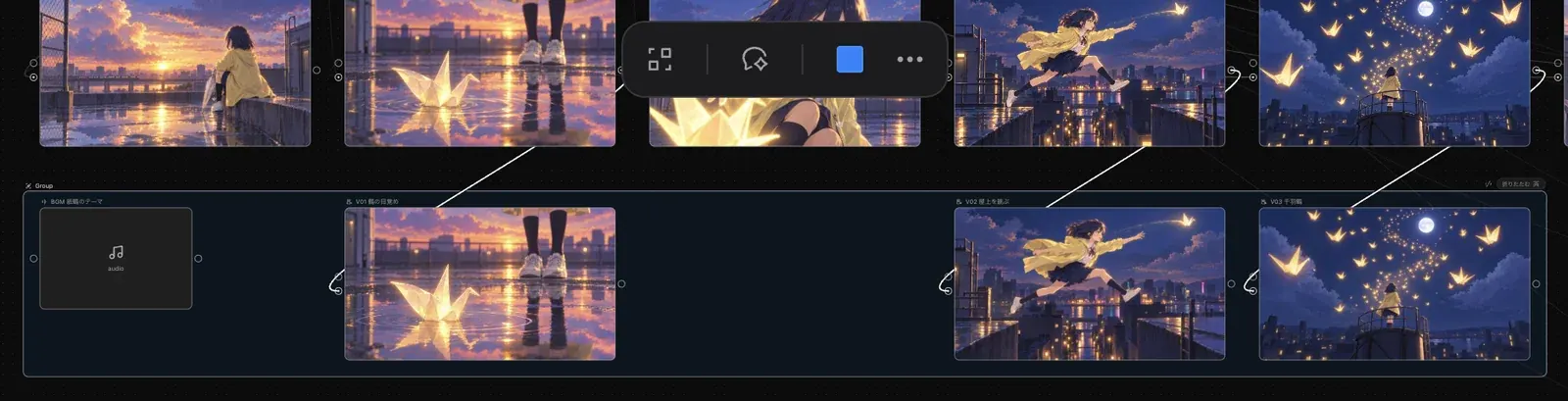
To ungroup, press ⌘⌫. Right after grouping, you can also undo with ⌘Z.
Move the view
Press ⌘+ to zoom in, ⌘− to zoom out, and ⌘0 to reset to the default size. To see how to move around the canvas, open the "Shortcuts" panel with ? and look at "Move canvas".