Community
How to find work by other creators in the AZ8 community and submit your own work for review with the submission form.
The AZ8 community is where you browse work made with AZ8 and post your own. You can look for ideas in other creators' work or take part in campaigns.
Find work
Open "Community" from the top menu on az8.art.
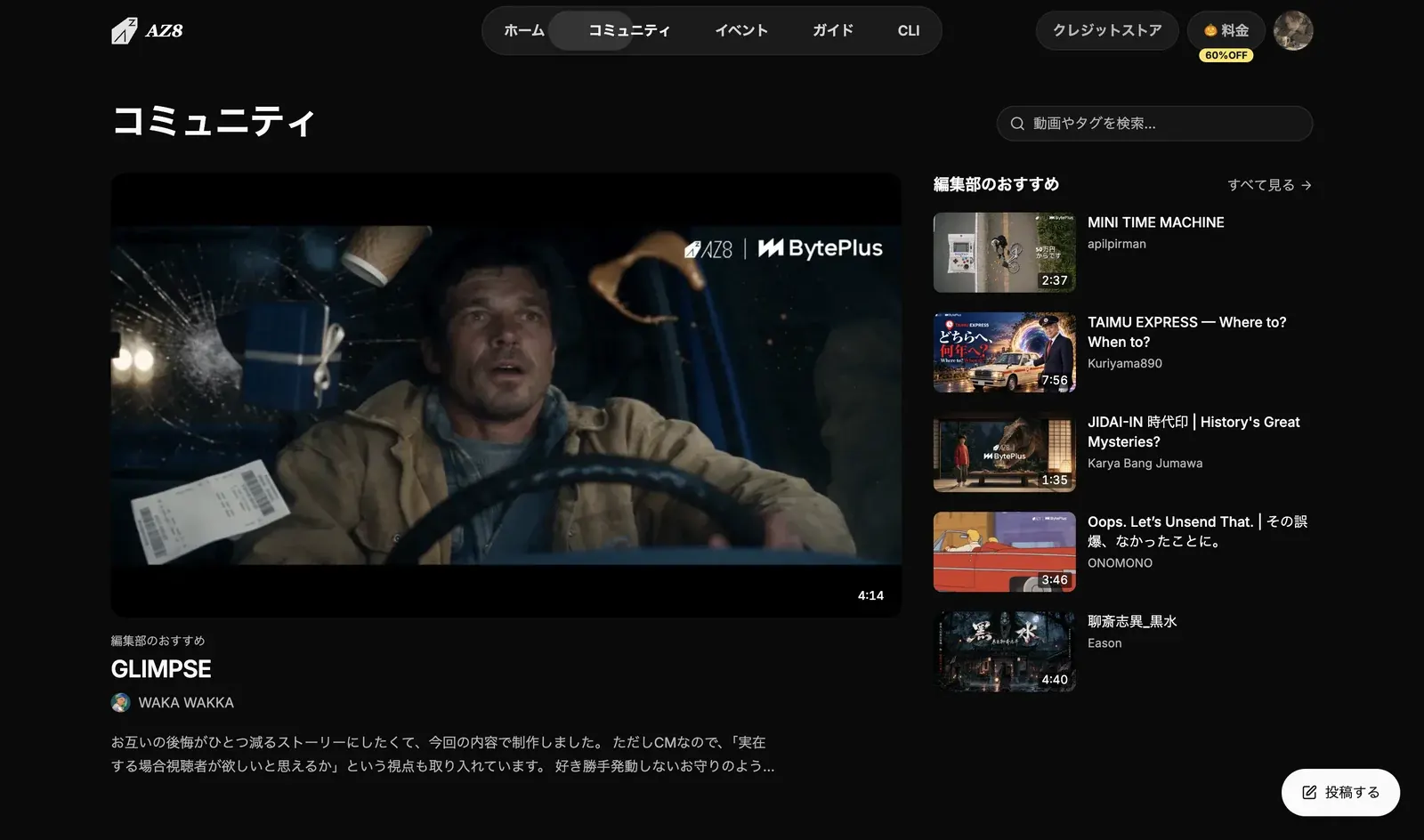
- Use "Search videos and tags..." at the top to find work by keyword or tag.
- "Editor's picks" shows work chosen by the editors. Click "Browse all" to open the full list.
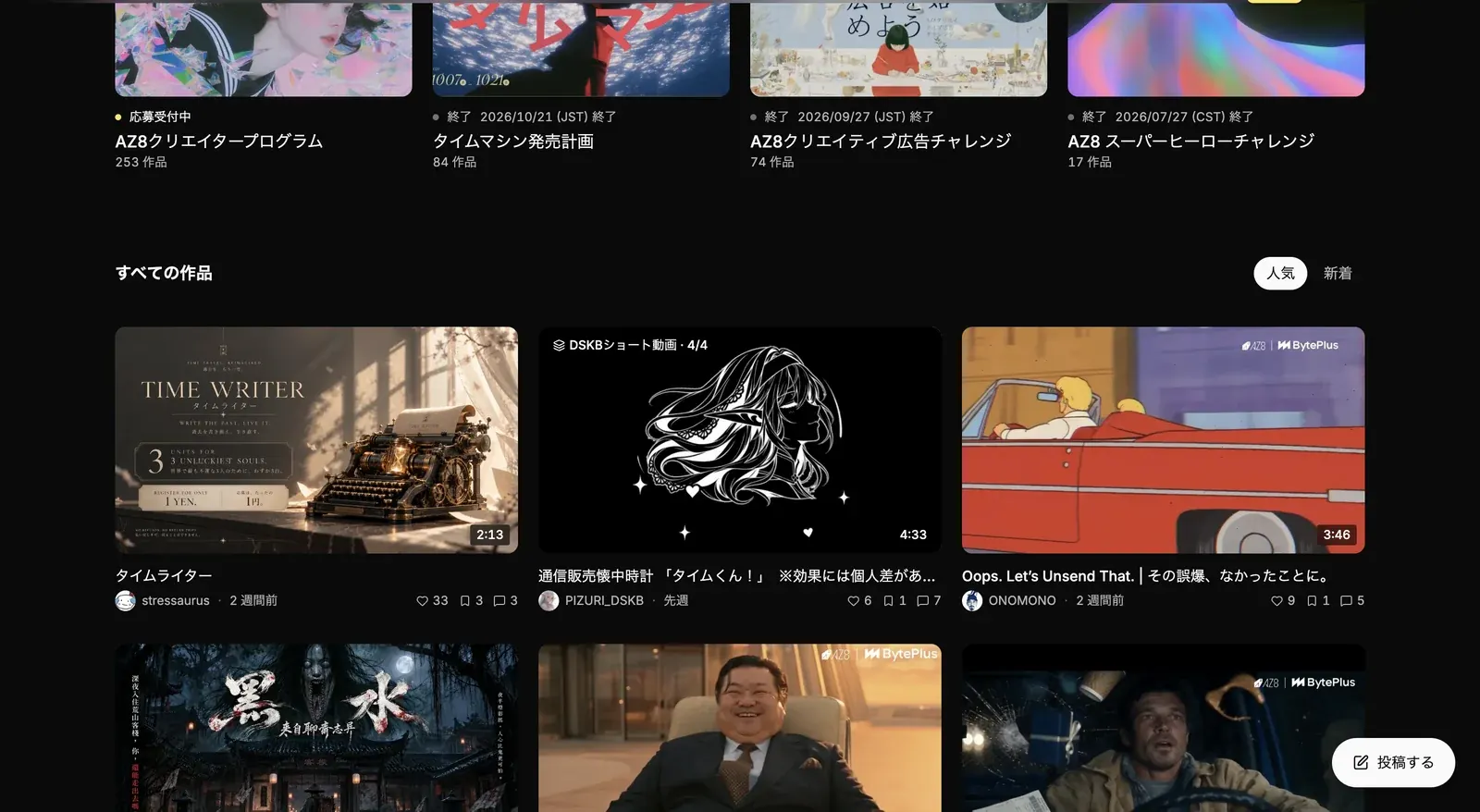
- Campaign cards show "Open for entries" or "Closed".
- In "All works", switch the sort order between "Hot" and "Latest".
Post your work
Open the submission form
Click "Publish" at the bottom right of the community page. From a project you are working on in Studio, you can also open it by clicking "Share" at the top right of the canvas and then "Share to community". See Sharing and collaboration for details.
Add the video and thumbnail
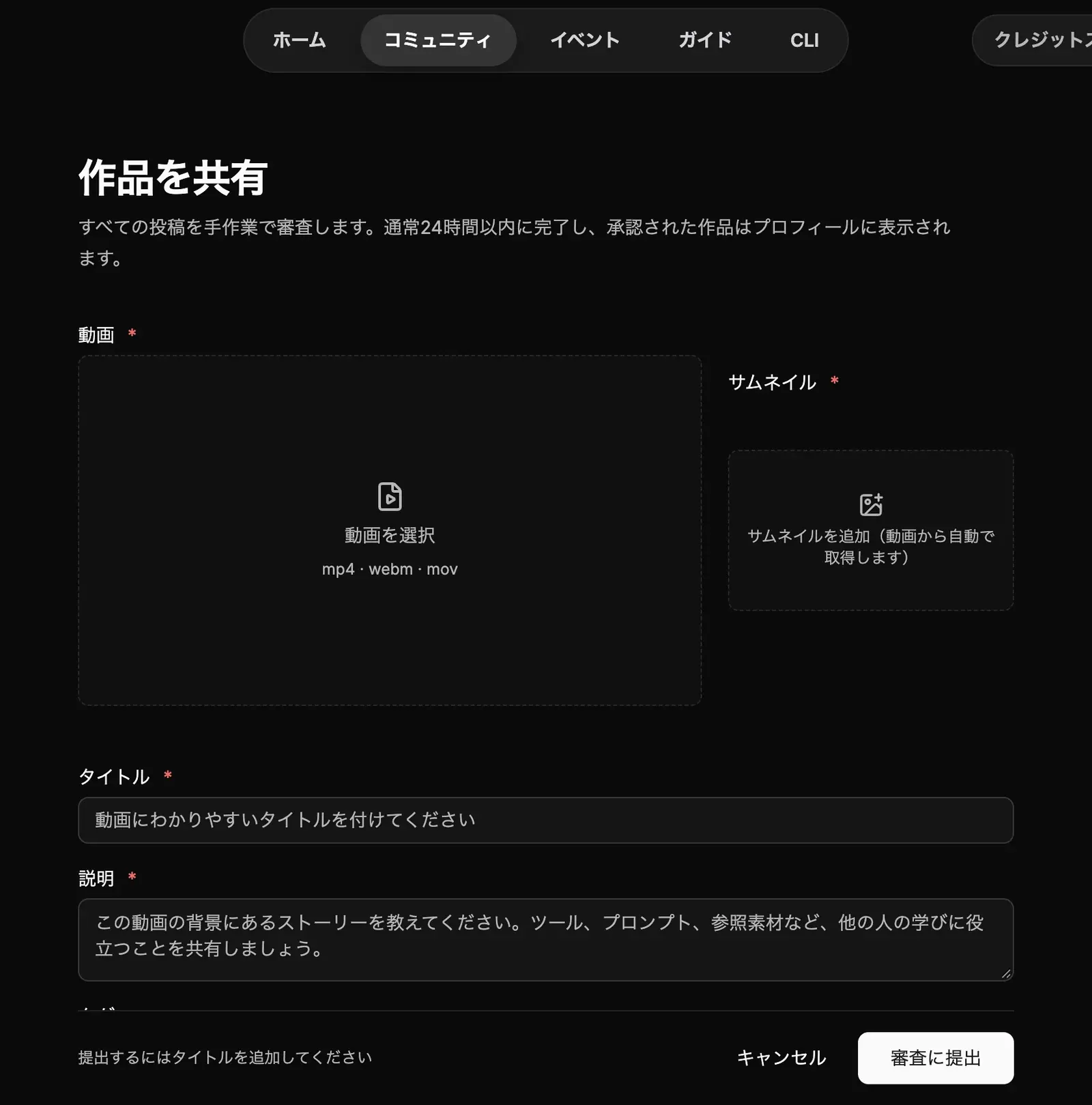
Under "Video", choose the video file to post (mp4, webm, or mov). Even if you opened the form from "Share to community", the video is not attached automatically, so choose your exported video yourself. The "Thumbnail" is taken from the video automatically.
Enter details about the work
Enter a "Title" and a "Description". In the description, it helps to write things others can learn from, such as the story behind the work, the tools you used, your prompts, and your reference materials. If needed, also set "Tags", "Join a campaign", "Links to your posted videos", "Linked Studio project", and "Add to a collection".
Click "Submit for review"
When you are done, click "Submit for review". To stop, click "Cancel".
The form says "We review every post by hand, usually within 24 hours. Approved work shows up on your profile."
Prepare the video to post
The quickest way to prepare a video for the community is to compose it with a "Video editing" node in Studio and download it. See Video editing for the steps.