Plans and credits
How to check your credit balance and usage, how credits are split by workspace, and how to choose a plan.
In AZ8, generating images, video, and audio and talking with Zumi use credits. This page covers where to check your remaining credits, usage per project, and where to find plans and purchases.
Check your remaining credits
Click the credits button at the top right of the canvas to see the credits for the current workspace.
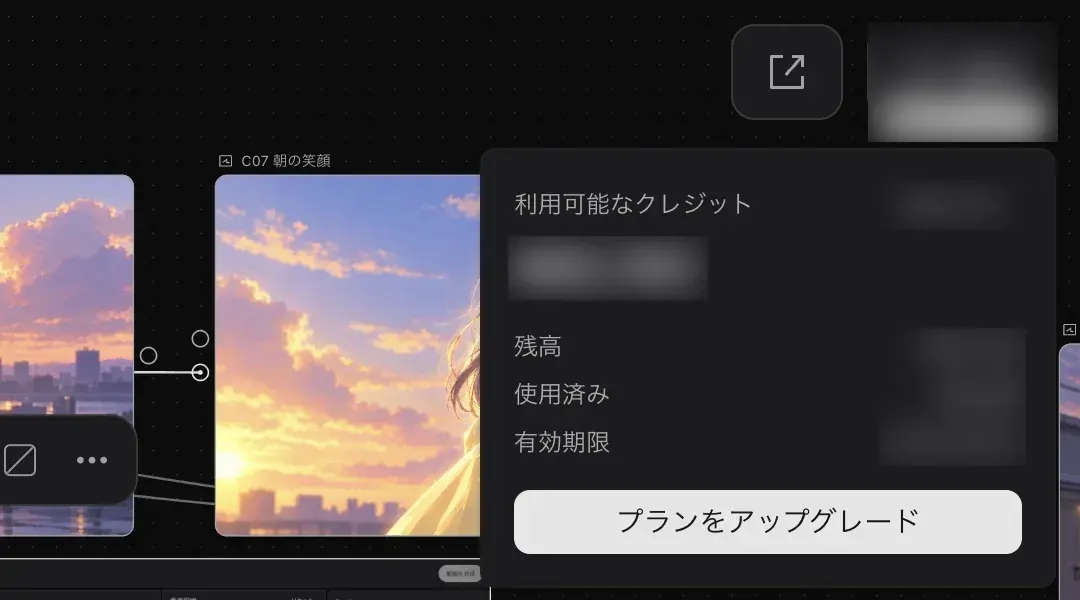
| Item | What it shows |
|---|---|
| "Available credits" | The credits you can use now. Your current plan name appears on the right. |
| "Balance" | Your remaining credits. |
| "Used" | The credits you have used so far. |
| "Valid until" | When the credits expire. |
| "Upgrade plan" | Changes your plan. |
Credits are split by workspace
Credits are managed separately for your personal space and each team workspace. When you switch workspaces, the credit display switches along with the project list. Credits for generation come from the workspace the project belongs to.
Even with the same account, projects created in a team workspace use the team's credits, and projects in your personal space use your personal credits. See Team space for how to switch workspaces.
Check the credit cost before generating
A node's "Submit" button shows the credits a generation with those settings will use. The number changes when you change the model, duration, resolution, quality, or generation count, so check it before you submit.
These are example numbers shown in Docs Demo.
| Node | Settings | Credits used |
|---|---|---|
| ヒナ 三面図 (Hina character sheet) | GPT Image 2.5 Sunburst, 2K, Extra high, ×1 | 88 |
| V02 屋上を跳ぶ (V02 Leaping across the rooftop) | Seedance 2.5, 5 seconds, 720p, Audio off | 1156 |
The differences between models are explained in Image generation and Video generation. When you ask Zumi for several generations at once, a confirmation card with the total credits appears. See Workflows for details.
See project usage
Open "Project info" from the avatar in the left toolbar to see the credits used in this project.
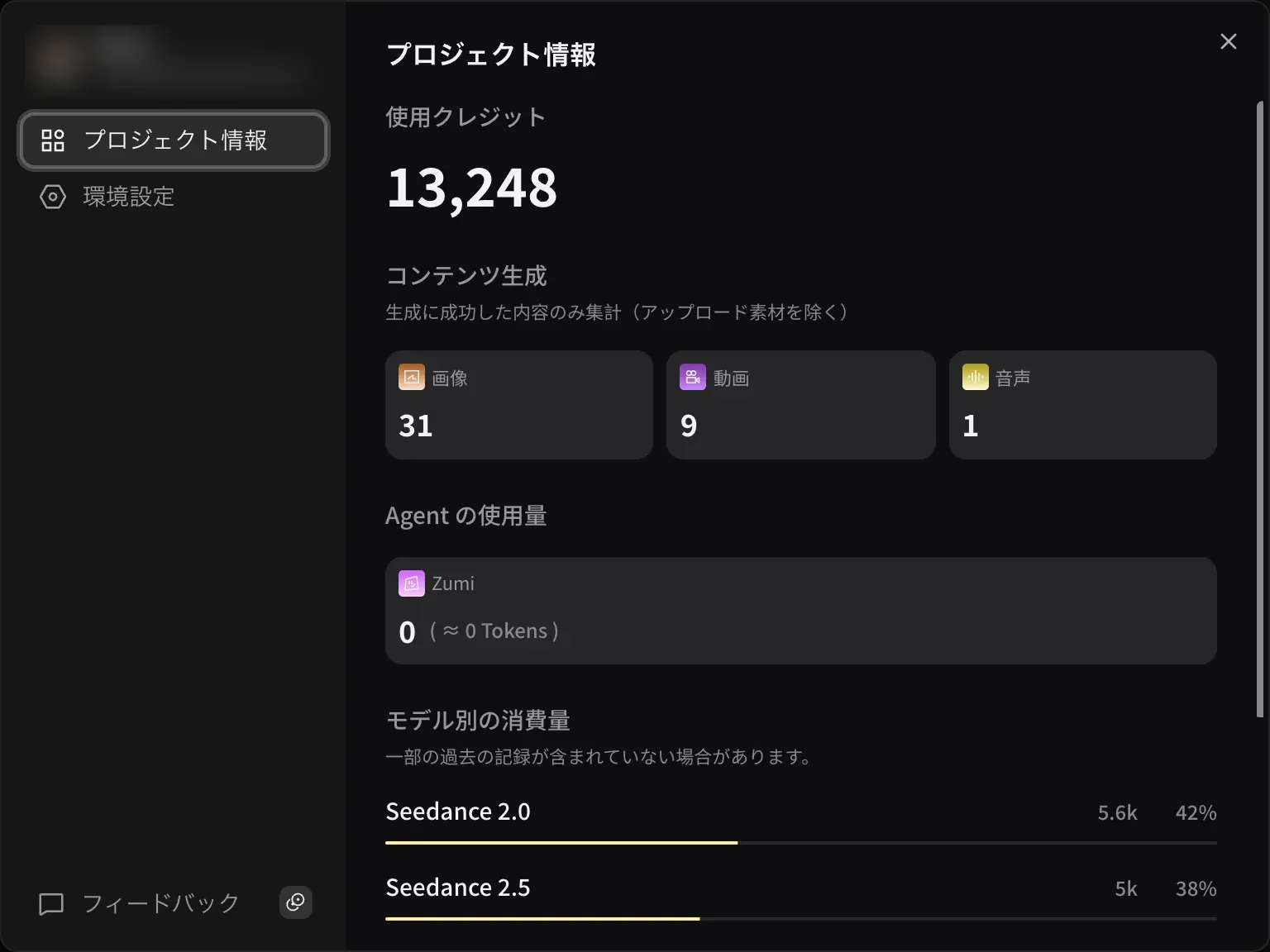
- "Credits used". The total credits used in this project.
- "Content generated". The number of images, videos, and audio clips generated successfully. Uploaded materials are not included.
- "Agent usage". The credits Zumi used.
- "Usage by model". Usage and share for each model. Some older records may not be included.
Choose a plan
You can compare plans on the Plans & pricing page. Every plan includes all models. The difference is how many credits you get each month.
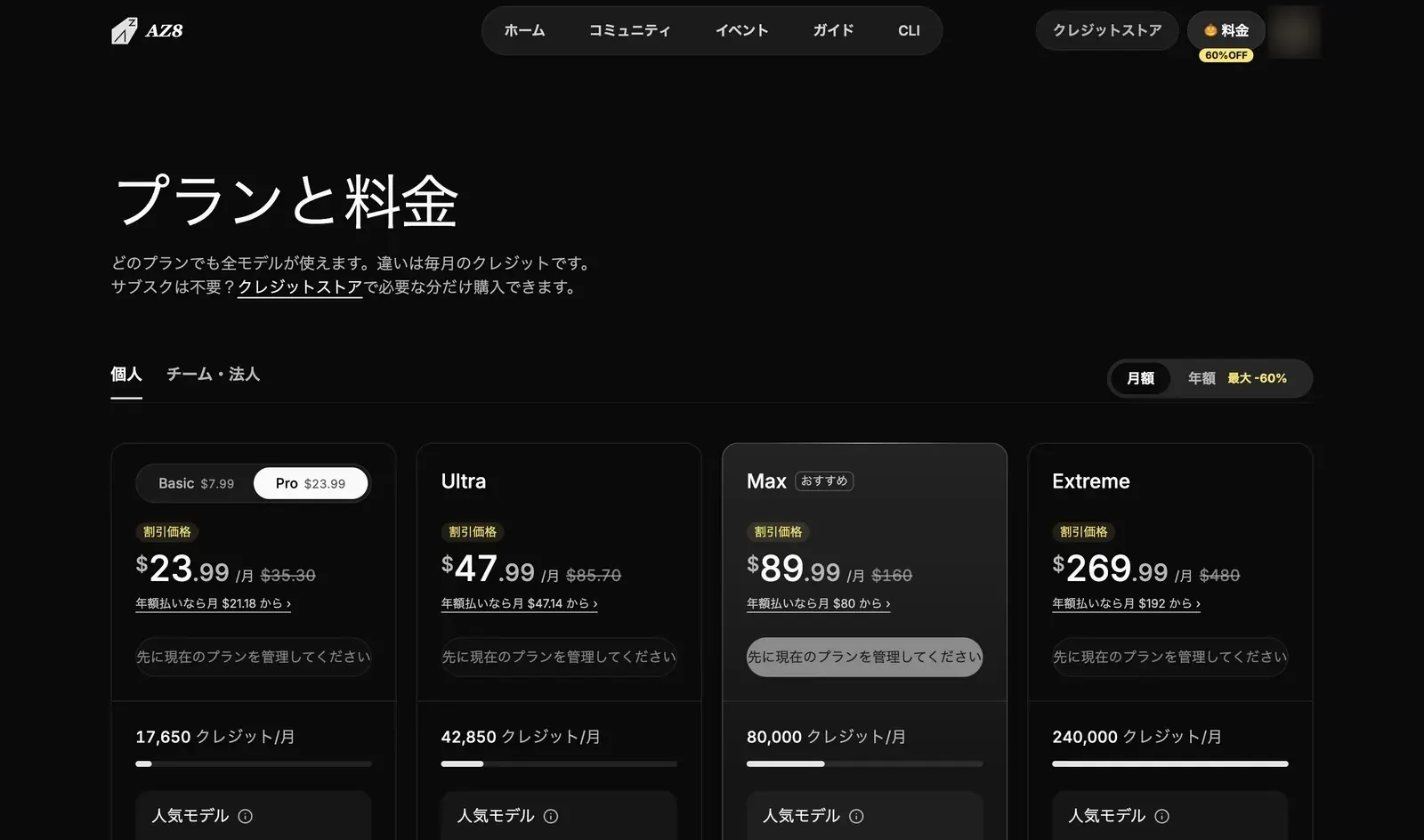
- Choose the "Personal" or "Team & Enterprise" tab.
- Choose "Monthly" or "Yearly".
- Choose the plan that matches the amount of credits you want.
Prices change over time, so they are not listed on this page. Check the "Plans & pricing" page for current prices.
Manage personal credits and payments
You manage your personal space credits and payments on the account page at az8.art. In "Usage & credits", you can see your "Credit balance" and its breakdown (subscription credits and top-up credits), along with usage trends over time, and buy more with "Buy credits".
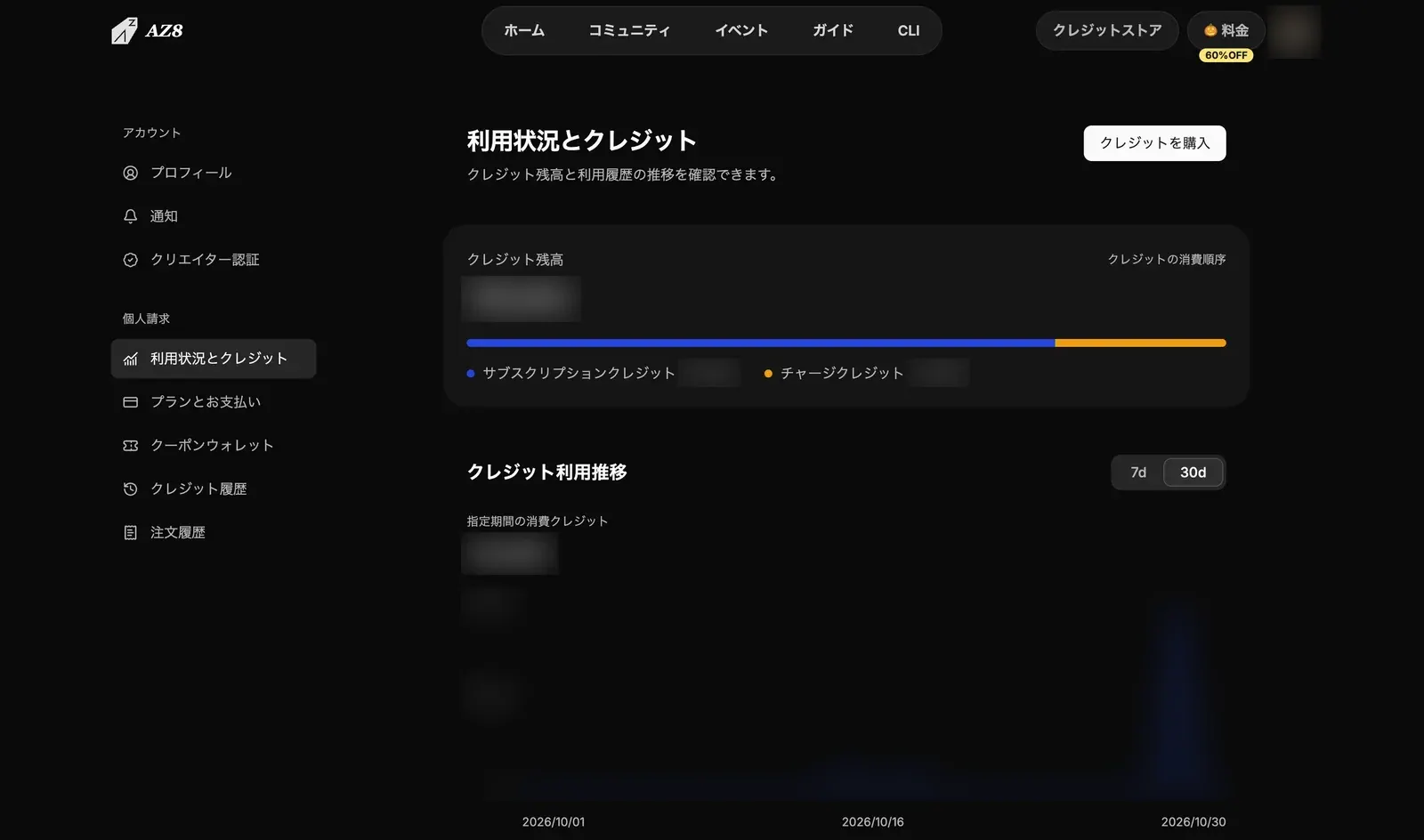
The other menu items are:
- "Plan & billing"
- "Voucher wallet"
- "Credit history"
- "Order history"
Earn credits with feedback
"Feedback" in the avatar menu carries a "Rewards" badge. When you send comments or bug reports, helpful ones may earn you credits after review. You can attach up to 5 images. Feedback you send is not made public.