Team space
How to switch between your personal space and team workspaces, create a team, and keep projects and credits separate per workspace.
In AZ8, projects and credits are separate for each workspace. Besides your own "Personal workspace", you can join team workspaces or create a team yourself. In a team workspace, you work with that workspace's projects and credits.
Switch workspaces
Click the workspace button
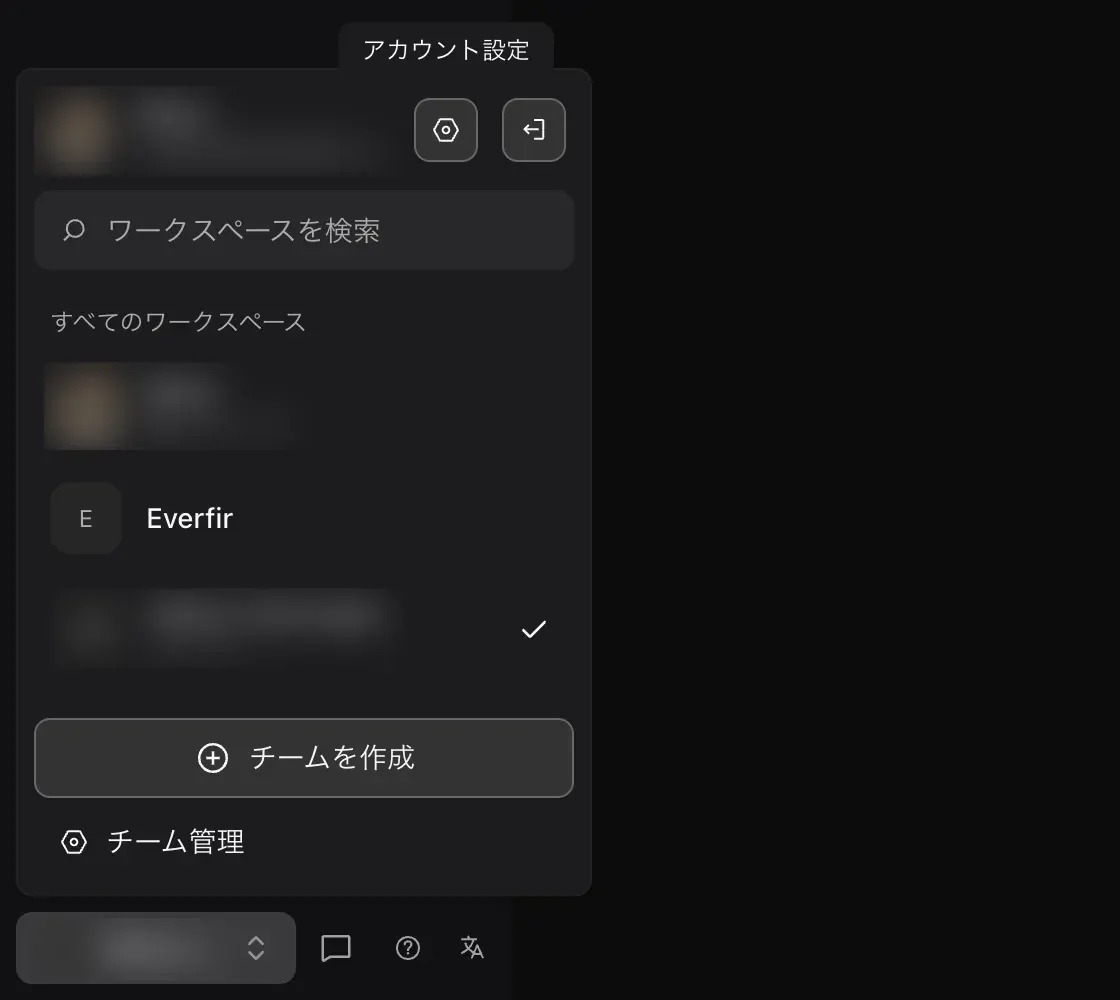
On the studio.az8.art home page, click the workspace button at the bottom left (it shows the current workspace name).
Choose where to switch
"All workspaces" lists "Personal workspace" and the teams you belong to. Your role (for example "Owner") is shown under each team. If there are many, use "Search workspaces" to find one.
Check the project list
After you switch, the project list, "Recent" projects, and credits change to those of that workspace.
Create a team
Click "Create team" at the bottom of the workspace switcher.
Manage a team
Team owners see "Team management" at the very bottom of the switcher. Clicking it opens the account page on az8.art. Members who are not owners do not see it.
Credits are per workspace
Credits are managed separately for each workspace. When a team workspace is selected, the credits button at the top right of the canvas shows that team's credits and plan. They are separate from your personal space balance.
Credits used for generation come from the workspace the project belongs to. If you generate in a team project, the team's credits are used.
See Plans and credits for details on plans and credits.
Related pages
- See Sharing and collaboration for how to share a project by link.